

Apache KIE has been undergoing a significant transformation with the introduction of next-generation editors for BPMN, DMN, and Test Scenario (SceSim) modeling. Built from the ground up with modern web technologies, these new editors deliver substantial improvements in performance, user experience, and long-term maintainability. With the latest release, the new BPMN Editor completes this modernization journey, setting the foundation for future innovations across the entire tooling ecosystem.
The End of an Era: Saying Goodbye to GWT
Let's be honest: the classic BPMN and DMN editors served us well for many years. Built on Google Web Toolkit (GWT), they were powerful tools that enabled thousands of developers and business analysts to model complex processes and decisions. But technology moves forward, and what was cutting-edge a decade ago can become a maintenance burden today.
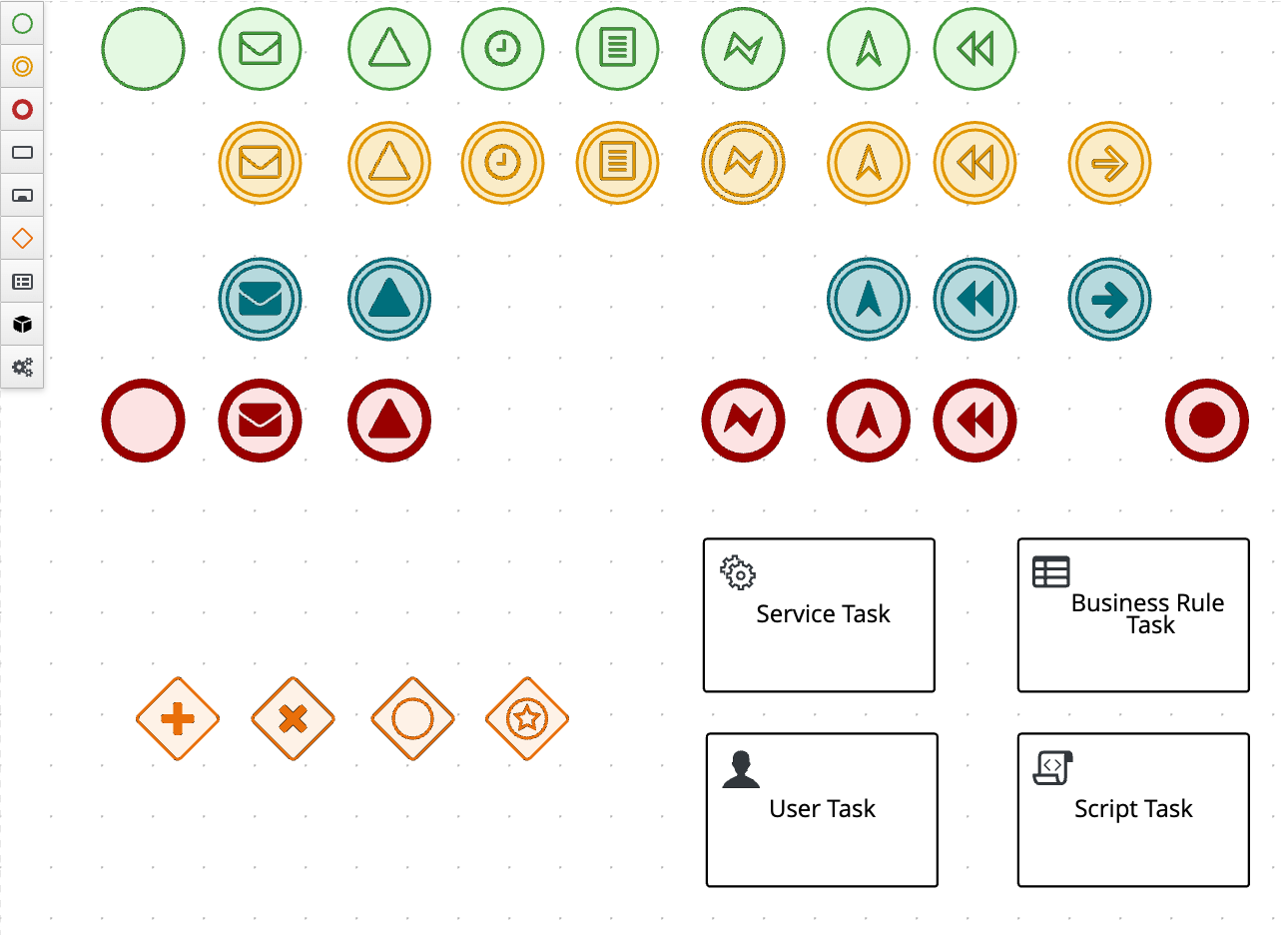 The classic GWT-based BPMN Editor - showing the old interface with its characteristic styling and layout
The GWT-based editors had their strengths:
- Robust functionality that powered enterprise applications
- Familiar interface for long-time users
- Comprehensive feature sets built over years of development
However, they also came with significant challenges:
- Performance bottlenecks with large, complex models
- Limited responsiveness on modern devices and screen sizes
- Maintenance complexity as GWT itself moved toward end-of-life
- Integration friction with contemporary web technologies and frameworks
- Accessibility concerns that didn't meet modern standards
As we committed to Apache KIE's graduation from incubation, it became clear: we needed to modernize our tooling to align with Apache guidelines and contemporary development practices.
The New Generation: Built for the Modern Web
The new BPMN Editor in Apache KIE 10.2.0 is a complete rewrite built from the ground up using modern web technologies. This editor incorporates extensive research, community feedback, and lessons learned from years of development.
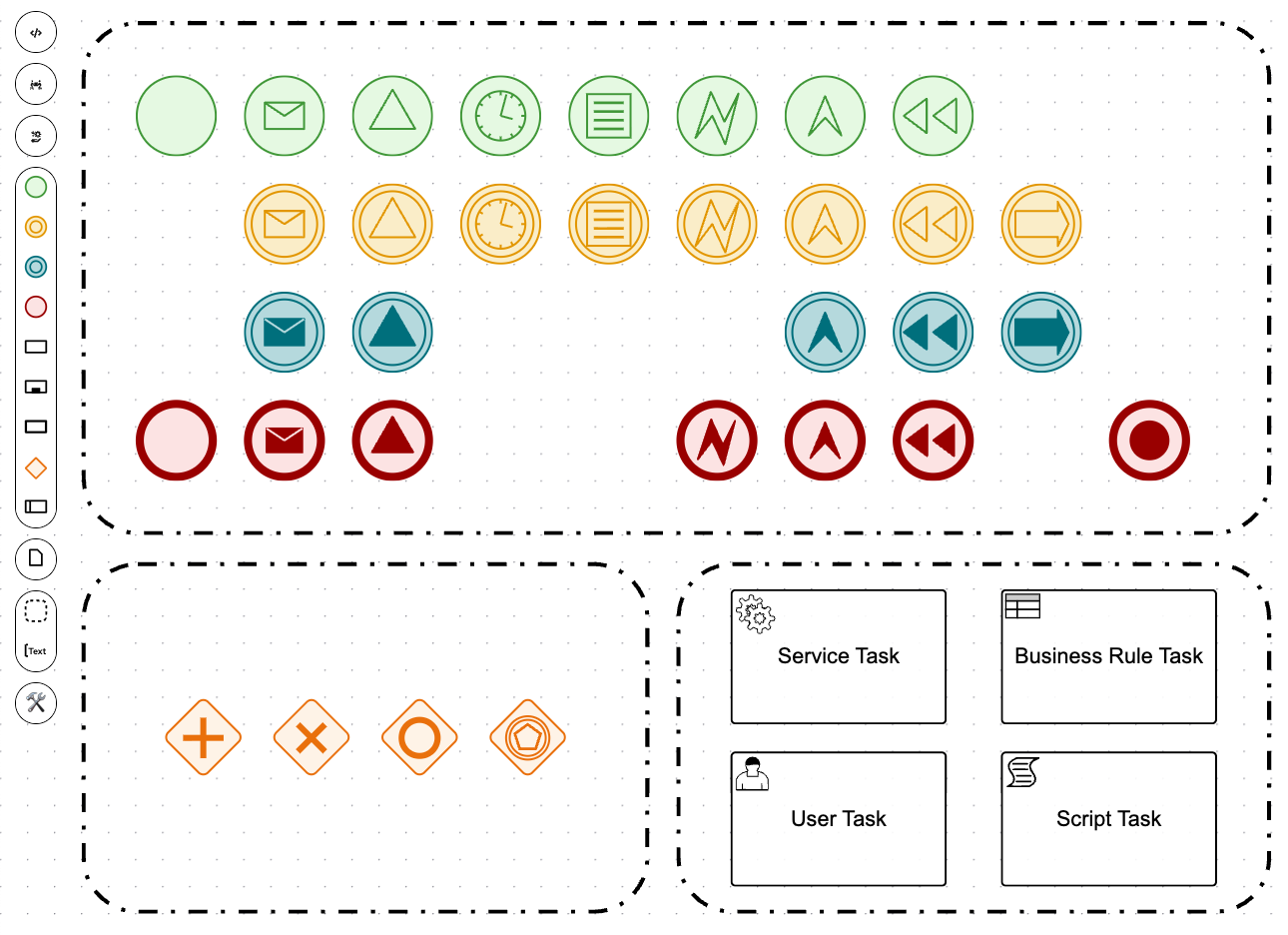 The new BPMN Editor - showcasing the modern, clean interface with improved UX
What Makes the New Editors Stand Out?
1. Modern Technology Stack
The new editors leverage contemporary web technologies that ensure longevity and maintainability:
- React-based architecture for component reusability and performance
- TypeScript for type safety and better developer experience
- PatternFly v5 for consistent, accessible UI components
- Modern build tooling for faster development cycles
These technologies were chosen for their stability, strong community support, and long-term viability.
2. Performance That Scales
One of the most dramatic improvements is performance. The new editor handles large, complex process models with ease:
- Instant loading even for models with hundreds of nodes
- Smooth panning and zooming without lag or stuttering
- Real-time validation that doesn't slow down your workflow
- Optimized rendering that uses modern browser capabilities
3. Enhanced User Experience
Every interaction has been thoughtfully designed:
- Intuitive drag-and-drop with smart snapping and alignment
- Context-aware property panels that show exactly what you need
- Visual feedback that guides you through complex operations
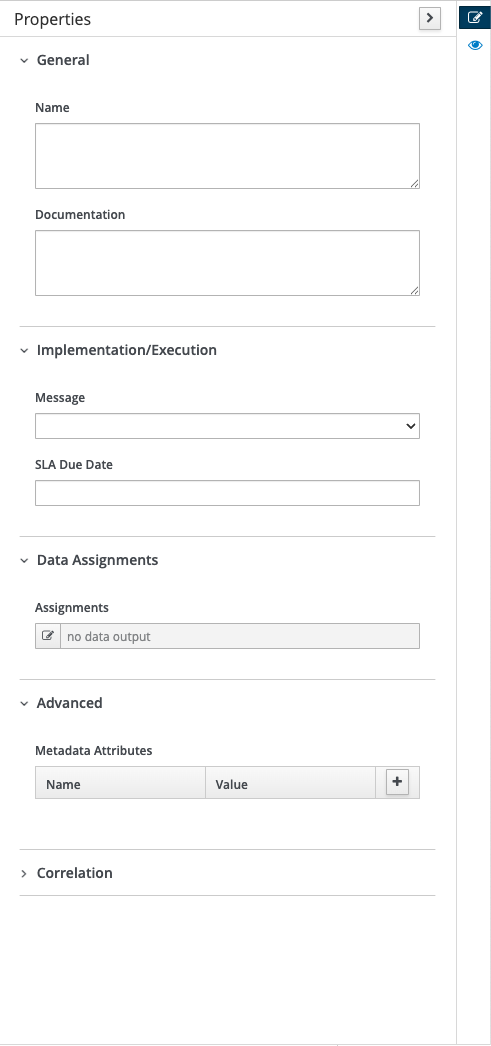
Classic properties panel
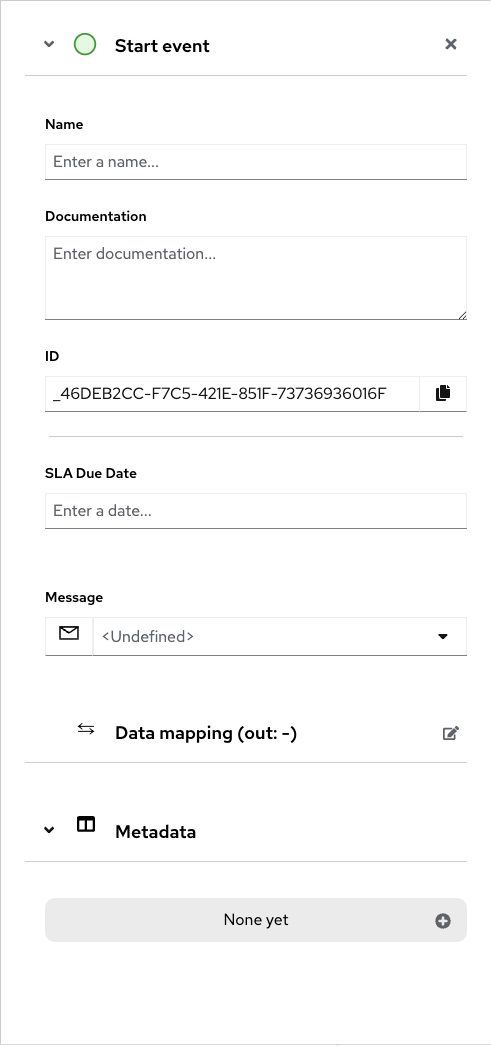
New properties panel with improved organization
DMN 1.6 Support: Staying Current with Standards
While we're talking about modernization, it's worth highlighting that both the new editor and the Drools engine now support DMN 1.6, the latest specification from the Object Management Group (OMG). This ensures you're working with current standards and can leverage the newest decision modeling capabilities.
The Deprecation Journey: A Necessary Step Forward
Change is never easy, especially when it involves tools that teams have relied on for years. The deprecation of the classic editors didn't happen overnight; it was a carefully planned transition:
- 10.0.0 (December 2024): New DMN Editor released. Classic editors marked as deprecated with warnings added
- 10.1.0 (July 2025): New Test Scenario Editor released
- 10.2.0 (April 2026): New BPMN Editor released. Classic editors removed
This phased approach gave the community time to:
- Test the new editors in non-production environments
- Provide feedback that shaped the final implementation
- Plan migration strategies for existing projects
Migration: Easier Than You Think
I know what you're thinking: "This sounds great, but what about my existing models?" Good news - the migration path is straightforward:
- File Format Compatibility: The new editors read your existing BPMN, DMN and SCESIM files without modification. If you encounter any problems please raise a bug at https://github.com/apache/incubator-kie-issues/issues.
- Comprehensive Documentation: Step-by-step guides for common scenarios https://github.com/apache/incubator-kie-tools/blob/main/packages/bpmn-editor/docs/MIGRATION_GUIDE.md
- Community Support: Active mailing lists and forums for questions
Important: Once you migrate to the new editors, we recommend committing to them fully. Switching back and forth between classic and new editors can lead to inconsistencies and unexpected behavior. Plan your migration carefully and make the transition in one go.
Technology Stack
The new editors are built with modern, well-supported technologies:
- React with TypeScript for component-based architecture
- Zustand and Immer for state management
- PatternFly v5 for accessible UI components
- SVG rendering for crisp visuals at any zoom level
For developers interested in embedding these editors in their own applications, standalone packages are available on NPM:
- @kie-tools/bpmn-editor-standalone
- @kie-tools/dmn-editor-standalone
- @kie-tools/scesim-editor-standalone
Getting Started Today
Ready to experience the new generation of editors? Here's how to get started:
- Download Apache KIE 10.2.0 from the official download page
- Review the migration guide in the documentation
- Try the KIE Sandbox for a quick online demo
- Join the community on the users mailing list
What's Next?
While the new editors represent a major step forward, we're continuing to improve and expand their capabilities. Here are some areas we're actively working on:
Known Issues and Ongoing Work
- Code Sharing: We're working to consolidate common code between the DMN and BPMN editors to improve maintainability and consistency. This includes refactoring the DMN Editor to use
@kie-tools/xyflow-react-kie-diagram. - DRL Support: Adding support for DRL-based SceSim files in the new SceSim Editor.
- Documentation: Publishing BPMN, DMN, and SceSim Editor Storybooks on public GitHub pages for better developer documentation.
We welcome your feedback and bug reports at https://github.com/apache/incubator-kie-issues/issues to help us prioritize and improve these editors.
Conclusion
The new generation of editors in Apache KIE 10.2.0 represents a significant modernization of our tooling. By moving to contemporary web technologies, we've improved performance, accessibility, and maintainability while maintaining compatibility with existing models. This foundation enables us to continue evolving and improving the editing experience for years to come.
Join the Conversation
Have you tried the new editors yet? We'd love to hear your feedback, success stories, or questions:
Share your experiences, ask questions, or just connect with other Apache KIE users who are making the transition.
Apache KIE (Incubating) 10.2.0 is available now. Visit the official download page to get started with the new editors today.
Disclaimer: Apache KIE is an effort undergoing incubation at The Apache Software Foundation (ASF), sponsored by the Apache Incubator. Incubation is required of all newly accepted projects until a further review indicates that the infrastructure, communications, and decision making process have stabilized in a manner consistent with other successful ASF projects. While incubation status is not necessarily a reflection of the completeness or stability of the code, it does indicate that the project has yet to be fully endorsed by the ASF.